Start with the load and feeding method
Record pallet or workpiece dimensions and the handling equipment used to place and remove it. Describe the load distribution as well as the total load.
Practical selection and project-planning information. Final equipment details require project confirmation.
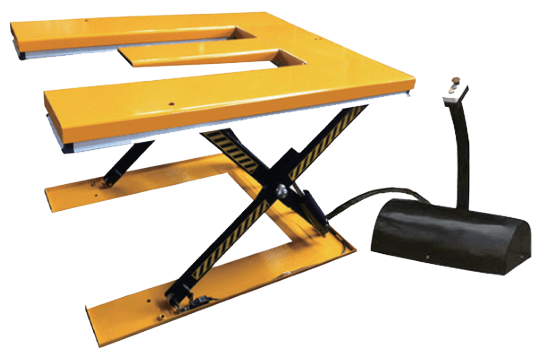
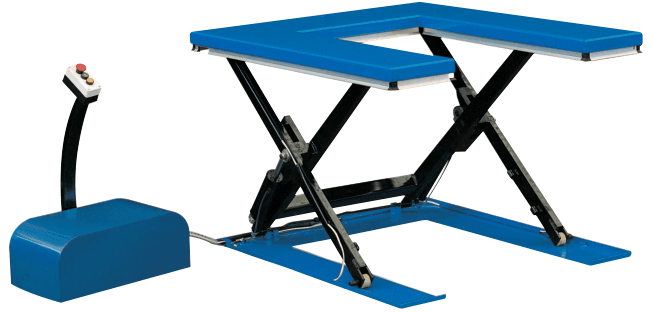
An E-shaped or U-shaped table looks suitable for your pallet truck, but a shape name is not enough. Compare the pallet underside, supported load and approach direction with the actual table drawing.
Choose a scissor lift table around the pallet or workpiece, its load distribution and the way it enters the platform. A platform shape alone does not confirm compatibility with a pallet truck, forklift or production workstation.
Record pallet or workpiece dimensions and the handling equipment used to place and remove it. Describe the load distribution as well as the total load.
Review the actual platform drawing, support positions and openings for the proposed E-type, U-type or standard arrangement. Check the underside of the pallet and the available approach route.
Identify the required low and high positions and the surrounding clearances. The selected travel, controls and protection must be confirmed against the equipment documentation and site needs.
Share a pallet or workpiece sketch, handling method, required working heights and quantity. Installation and safe operation should follow the confirmed equipment instructions.
| Compare / record | Information to review | Decision or confirmation |
|---|---|---|
| Pallet footprint | Length, width and underside construction | Confirm supported surfaces rather than the outer size alone. |
| Load | Weight, distribution and position | Identify concentrated or off-centre loading. |
| Feeding equipment | Forks, wheels and entry direction | Review clearances through the complete loading movement. |
| Heights | Required low and high positions | Confirm closed height, travel and overall height together. |
| Controls and site | Power, operating position and surrounding space | Confirm the selected protection and installation requirements. |
JD-2013, JD-2014 and JD-2015 identify different table families. Some source dimensional units remain unconfirmed, and one E-type row has inconsistent height arithmetic. Do not silently calculate a corrected value; request the final drawing for the exact configuration.
Catalogue basis: JBL Dock Loading Dock Equipment Catalogue V1.2, review edition, pages 21–24. Unresolved source entries are not approved specifications.
Not necessarily. Platform support and access geometry must suit the pallet and handling method, as well as the load.
Share your question, site photos or equipment details. Mark anything you have not yet measured — you can begin without a complete specification.
Discuss your requirements →Source basis: JBL Dock Catalogue V1.2 review edition and the website planning framework. Product selection, installation and maintenance must follow the applicable equipment documents and project review. This guide does not establish certified performance or final dimensions.
← Browse all guides